System Architecture
How it works
Prepare on the web; the teacher PC app runs the class inside the classroom. Your original files stay in your own Google Drive.
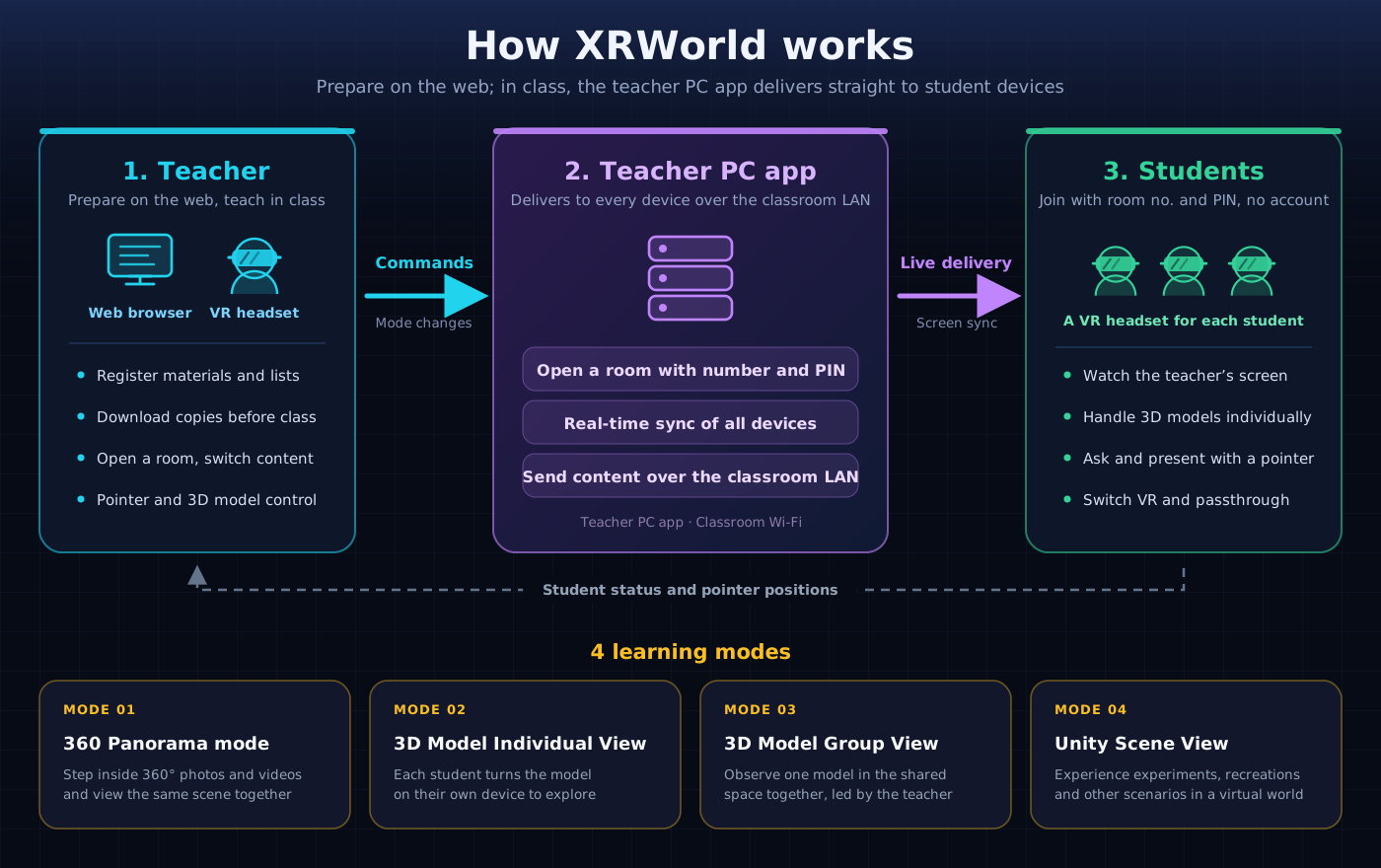
Click the diagram to enlarge it
Register materials on the web
Sign in with your Google account and register the 360° photos and videos and 3D models in your own Google Drive with XRWorld. The original files are not moved; they stay in your Drive.
Plan class lists in advance
Group materials by week or lesson into class lists. Split them into sections and set the order, so during class you only need to pick. You can also import lists shared by other teachers.
The teacher PC app prepares local copies
Before class, the teacher PC app downloads the materials in the list to your PC. Nothing is downloaded from the internet during class, so the school's internet connection does not get in the way.
Open a classroom
The teacher PC app opens a classroom and shows a room number and PIN. Students join from VR headsets or phones on the same classroom Wi-Fi by entering the number. No student accounts are created.
Watch together in the classroom
The material you choose is delivered instantly to every device over the classroom network. Scene changes, model rotation and pointer positions stay in sync, and students' participation is shown on the teacher's screen.
System components
- Web (Vercel) · Handles preparation such as sign-in, registering materials and editing class lists.
- Database (Supabase) · Stores only accounts, licenses and material information. No files are stored.
- Original files (your Google Drive) · You keep your materials even if the school PC is reset.
- Teacher PC app (Windows) · Opens the classroom, sends copies over the classroom network and keeps every device in sync.